Dragon Tiger Club Customer Support Guide: How to Get Help
Every official way to contact Dragon Tiger Club support, how fast each one responds, and how to make sure you’re always talking to the real team.
Even the smoothest apps run into the occasional issue, and Dragon Tiger Club is no different. Maybe your OTP never arrived, a withdrawal is taking longer than expected, or you simply have a question about how the app works. Whatever the reason, knowing exactly who to contact, how to reach them, and how to avoid fake support scams saves you time and keeps your account safe.
This guide covers every official Dragon Tiger Club customer support channel, step-by-step instructions for using each one, realistic response times, and how to spot the difference between real support and a scam. Use the table of contents below to jump straight to what you need.
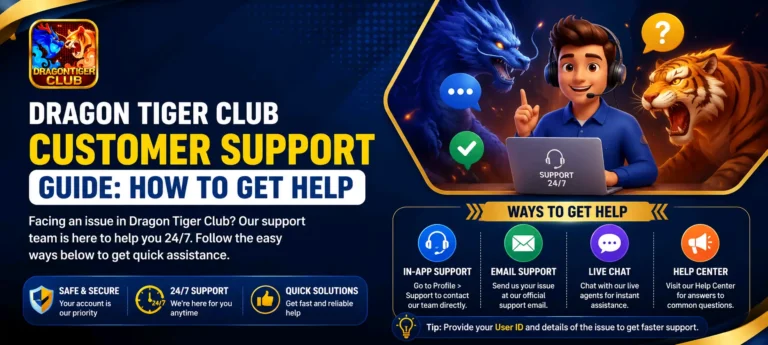
Table of Contents
Official Dragon Tiger Club Support Channels
Dragon Tiger Club offers a few official ways to get help. Using the right one for your situation gets your issue resolved faster.
💬 Live Chat
Built into the app and available around the clock. Best for account issues, deposits, withdrawals, and general questions.
Fastest Response✉️ Email Support
Reach the team at support@3ptdragontigerclub.com. Best for issues that need screenshots, transaction IDs, or a detailed explanation.
Within 24 Hours📱 In-App Help Center
A built-in FAQ section covering registration, deposits, withdrawals, and game rules. Worth checking before you contact support directly.
Instant📢 In-App Announcements
Maintenance notices and service updates are posted here. Check this first if something feels slow or unavailable app-wide.
Status UpdatesHow to Use Live Chat Support
Live Chat is the quickest way to get a real response from the Dragon Tiger Club support team. Here is how to start a conversation.
- 1Open the App — Tap the Dragon Tiger Club icon on your phone.
- 2Go to Your Profile — Tap the profile or account icon, usually in the corner of the screen.
- 3Tap Live Chat or Support — Look for a chat bubble icon or a menu option labeled Support.
- 4Describe Your Issue Clearly — Explain the problem in a few sentences, including your registered phone number or email.
- 5Attach a Screenshot if Relevant — For payment or technical issues, a screenshot helps the team resolve things faster.
- 6Wait for a Reply — An agent typically responds within a few minutes.
How to Contact Support by Email
Email works best for issues that need more detail or supporting documents, such as a delayed withdrawal or a disputed transaction.
- 1Open Your Email App — Use any email app on your phone or computer.
- 2Send To — Address your email to support@3ptdragontigerclub.com.
- 3Include Your Account Details — Add your registered phone number or email and a clear description of the issue.
- 4Attach Proof — Include screenshots of transaction IDs, error messages, or payment receipts if relevant.
- 5Wait for a Response — The support team typically replies within 24 hours.
Tips for Getting a Faster Response
A few small habits can cut your wait time significantly, no matter which channel you use.
- Contact support directly from inside the app rather than through third-party pages or social media
- Keep your message short and specific instead of writing a long story
- Send one clear screenshot instead of several unrelated ones
- Avoid sending duplicate messages across multiple channels at the same time
- Reply promptly if the agent asks a follow-up question, so your case doesn’t go cold
What to Prepare Before Contacting Support
Having the following details ready before you reach out helps the team resolve your issue on the first reply instead of going back and forth.
- Your registered phone number or email address
- A clear, specific description of the problem
- Screenshots of any error messages you received
- Transaction ID for deposit or withdrawal issues
- The app version you are currently using
- Approximate time the issue happened
How to Avoid Fake Support Scams
Because Dragon Tiger Club involves real money, it is sometimes targeted by scammers pretending to be official support. Knowing the warning signs keeps your account and your money safe.
- Never share your password with anyone, even someone claiming to be Dragon Tiger Club staff
- Real support will never ask you to pay a “fee” to release a withdrawal
- Be cautious of support offers made through random social media messages or unofficial groups
- Do not click links from unknown numbers promising bonuses in exchange for account details
- Only use the official Live Chat inside the app or the support email listed in this guide
What to Do If Your Issue Is Not Resolved
If Live Chat has not resolved your issue or you have not received a reply, follow these steps before assuming something is wrong with your account.
- 1Follow Up by Email — Send the same details to support@3ptdragontigerclub.com with a clear subject line.
- 2Reference Your Earlier Chat — Mention that you already contacted Live Chat so the team can find your case faster.
- 3Include Everything Again — Attach the same screenshots and transaction IDs so nothing is missed.
- 4Be Patient but Persistent — Allow the full 24-hour window before following up a second time.
Support Options Summary
| Channel | Response Time |
|---|---|
| Live Chat | A few minutes, available 24/7 |
| Email Support | Within 24 hours |
| In-App Help Center | Instant, self-service |
| Best For Urgent Issues | Live Chat |
| Best For Detailed or Payment Issues | Email with screenshots |
Frequently Asked Questions
Is Dragon Tiger Club support available 24 hours a day?
Yes. Live Chat inside the app is available 24/7, so you can reach support at any time, including nights and weekends.
How long does it take to get a reply from support?
Live Chat replies usually arrive within a few minutes. Email replies typically take up to 24 hours depending on the complexity of the issue.
What should I do if Live Chat is slow to respond?
Make sure you have a stable internet connection and try again after a few minutes. If it is still slow, send the same details by email as a backup.
Can support help me recover a lost password?
Yes, but the fastest way is to use the Forgot Password option on the login screen first. Contact support only if the automatic reset does not work.
Is there a phone number to call for support?
Dragon Tiger Club currently offers support through in-app Live Chat and email rather than a phone line. Live Chat is the quickest way to reach the team directly.
Will support ask me for my password or OTP?
No. Official Dragon Tiger Club staff will never ask for your password or OTP code. If anyone requests it, do not share it and report the message through official Live Chat.
Conclusion
Getting help on Dragon Tiger Club is straightforward once you know where to look. Live Chat is the fastest option for most issues, while email works best for problems that need extra detail or documentation. Just as important is knowing how to spot a fake support message, so your account and money stay protected.
If you run into any issue while playing, do not hesitate to reach out through one of these official channels — they belong to Dragon Tiger Club, not this website. For more guides on using the app, visit the Dragon Tiger Club homepage, or download the official app directly below.